How To Cancel a PSA Order? Complete Process

To cancel a paid PSA order placed online through PSA Serbilis, contact customer service as soon as possible. Cancellation is most likely possible only before the order has been printed, processed, or dispatched. Prepare your order reference number and the email address used for the order, then contact PSAHelpline support to ask whether cancellation is still available. If your order is unpaid, simply leave it. Unpaid orders are cancelled automatically. You can also check your order status using the reference number before contacting support.
How to Cancel a PSA Online Order?
If you have placed your PSA certificate order and have not paid yet, it will be cancelled automatically. However, follow the steps below to cancel the Paid PSA online order:
Step 1: Check Your Order Status
Start by checking the status of your PSA online order using your order reference number. This tells you whether your order is still eligible for cancellation.
- Unpaid: The order has not been paid for yet.
- Pending/For Processing: Payment has been received, but processing has not started.
- In Process/Processed: Your document is either being prepared or has been completed.
Step 2: Request Cancellation for a Paid Order
If your order is paid but not yet in process, contact PSA Serbilis customer support as soon as possible. Call the hotline at (02) 8737-1111 or email [email protected]. Provide your:
- Order reference number
- Full name
- Proof of payment
- Reason for cancellation
The support team will review your request and determine whether the order can still be cancelled.
Step 3: Wait for the Confirmation
After submitting your request, wait for the customer support team’s response. If the order has not entered processing, it may be cancelled, and you will be informed if a refund is available. If the order is already In Process or processed, cancellation is generally no longer possible. If you want to visit the oullet to get certificate, click here to get PSA appointment.
If you want to cancel a PSA online appointment, click here.
When To Cancel an Order In PSA?
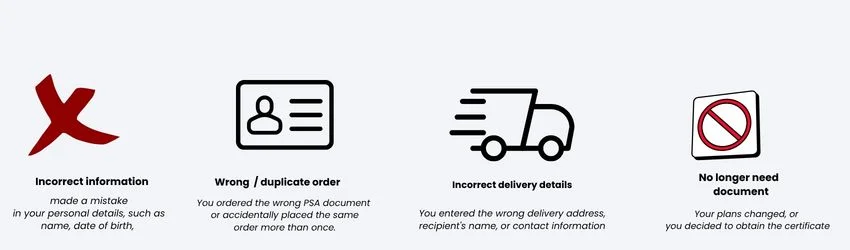
- Incorrect information entered: You made a mistake in your personal details, such as your name, date of birth, parents’ names, or other information on the application.
- Wrong certificate or duplicate order: You ordered the wrong PSA document (e.g., Birth Certificate instead of CENOMAR) or accidentally placed the same order more than once.
- Incorrect delivery details: You entered the wrong delivery address, recipient’s name, or contact information, which could affect document delivery.
- No longer need the document: Your plans changed, or you decided to obtain the certificate through another authorised channel instead.
FAQs
Conclusion
To cancel a paid PSA order, first check your order status, then contact PSA Serbilis customer support as soon as possible. Your order can usually be cancelled only if processing has not started. If your order is unpaid, you do not need to do anything. Simply leave it unpaid, and it will be cancelled automatically after the payment deadline.